Offline Grace Mode: Keeping Your App Working Without a Connection
Signed cache tokens, how many grace days to allow, and the honest limits of what offline verification can and can't stop.
SDK 2.1.1 migration: configure trusted tenant public keys independently of cache files. These examples use the SDK 2.1.1 client instance API. Follow the offline setup guide; use version 2.1.1 when following these examples.
Your customer's laptop goes into airplane mode, or their office firewall blocks outbound requests, or api.permitcore.dev itself has a bad five minutes. If your app hard-fails the moment it can't reach the license server, you'll get support tickets from people who paid you money and did nothing wrong. That's what offline grace mode is for.
How It Works
Every successful validate() or activate() call, PermitCore signs a small payload — license status, remaining activations, feature flags, expiry — with the tenant's own ECDSA P-256 private key, and hands it back alongside the normal response. The SDK caches that signed token locally. The next time the network is unreachable, the SDK checks the cached token's signature instead of failing outright.
A signed cache differs from an editable {"isValid":true} file: a valid signature requires the tenant's private signing key. Keep that key out of customer applications and verify with the trusted public key. Signing-key export on every plan, including Free, is an explicit continuity option; protect exported private material separately.
The signed deadline still applies after a permanent shutdown. Grace bridges temporary disconnection; a final offline build or an independently operated issuer needs a separate plan. See software ownership and shutdown planning.
Setting the Grace Period
For Store subscription licenses, the signed offline deadline is the earlier of the configured offline window and paid-through plus payment grace. Payment grace defaults to 14 days from paid-through and can be configured in Store settings or overridden per license. Reconnect after a paid renewal to refresh the token; the signed deadline governs access while disconnected. See subscription renewals and payment grace.
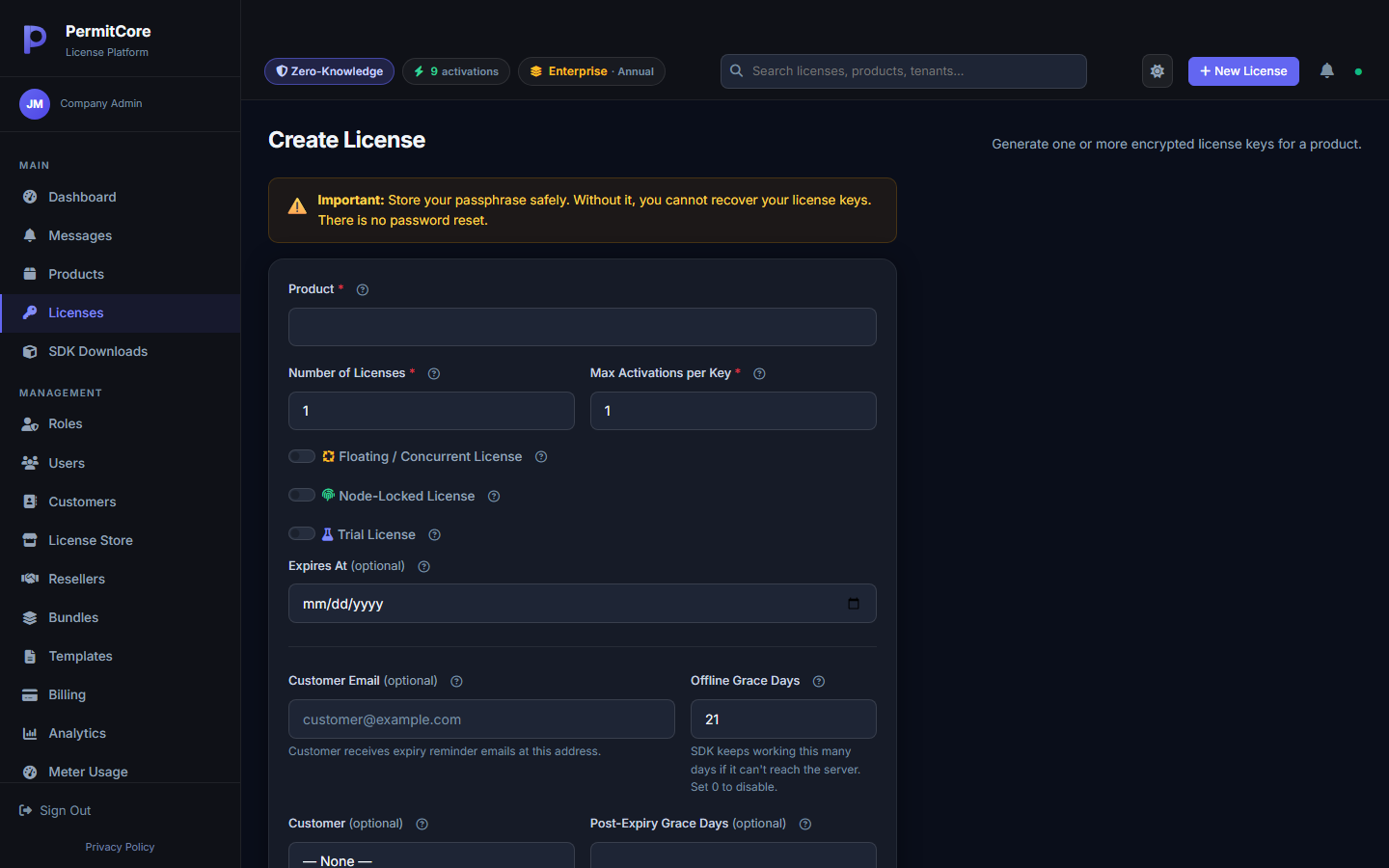
You control this per license, in the same form you used to generate the key:
21 days is a reasonable default — long enough to cover a vacation or a slow IT department, short enough that a permanently offline machine still eventually stops working.
Set it to 0 to disable offline mode entirely for a given license — useful if your product has a hard requirement to phone home (metered billing, for example).
What the SDK Does With It
// SDK 2.1.1. trustedTenantPublicKey is vendor-approved app configuration.
using var client = new PermitCoreClient(new PermitCoreOptions {
    BaseUrl = apiUrl,
    TrustedPublicKeys = new[] { trustedTenantPublicKey },
    CacheDirectory = appCacheDirectory,
    DeviceId = stableDeviceId
});
var result = await client.ValidateAsync(key, expectedProductId: productId);
if (!result.IsValid) { /* Ask the customer to reconnect or resolve the license problem. */ }
if (result.IsOffline) { /* Show the offline status to the customer. */ }This logic already ships inside all 8 official SDKs — you don't need to hand-roll signature verification yourself unless you're talking to the REST API directly.
What This Doesn't Protect Against
We'd rather tell you the honest limits than let you find out the hard way. A signed offline cache stops someone from editing the cached file to fabricate a valid result. It does not stop someone from winding their system clock backward to keep an already-issued token looking unexpired — the token's expiry check is only as trustworthy as the local clock it's compared against. It's availability protection for legitimate customers hitting real network problems, not a hardened anti-tamper system for a hostile user actively trying to defeat it.
If your threat model includes users deliberately trying to run past their offline window indefinitely, keep the grace period conservative and pair it with server-side signals (like a max devices-per-license cap) rather than relying on the offline check alone.
What's Next
Offline grace applies to both node-locked and floating licenses, but floating adds its own wrinkle — what happens to a checked-out seat when the checkout machine goes offline and never checks back in? That's the subject of the next post.
Build your first licensed product without building a license server.
Create a free PermitCore account, issue a test license, and validate it from your application.