Offline License Validation in C#: Verifying Signed Tokens Without a Server
The real ECDSA P-256 signature check from PermitCore's .NET SDK, the token format, and what a signed token can and can't protect against.
Store subscriptions keep signed offline access bounded by paid-through plus payment grace, in addition to the configured offline window. Payment grace defaults to 14 days and is configurable. A successful online check refreshes the signed cache after renewal; existing offline tokens keep their signed deadline while disconnected. See subscription renewal controls.
SDK 2.1.1 migration: configure trusted tenant public keys independently of cache files. These examples use the SDK 2.1.1 client instance API. Follow the offline setup guide; use version 2.1.1 when following these examples.
An app that needs to keep working on an air-gapped machine — a factory floor terminal, a secure government workstation, a laptop that's simply offline more often than not — can't call validate() every time it starts. PermitCore's offline activation solves this with a signed token the SDK can check entirely on its own, no network required. Here's the actual code, and honestly, its real limits.
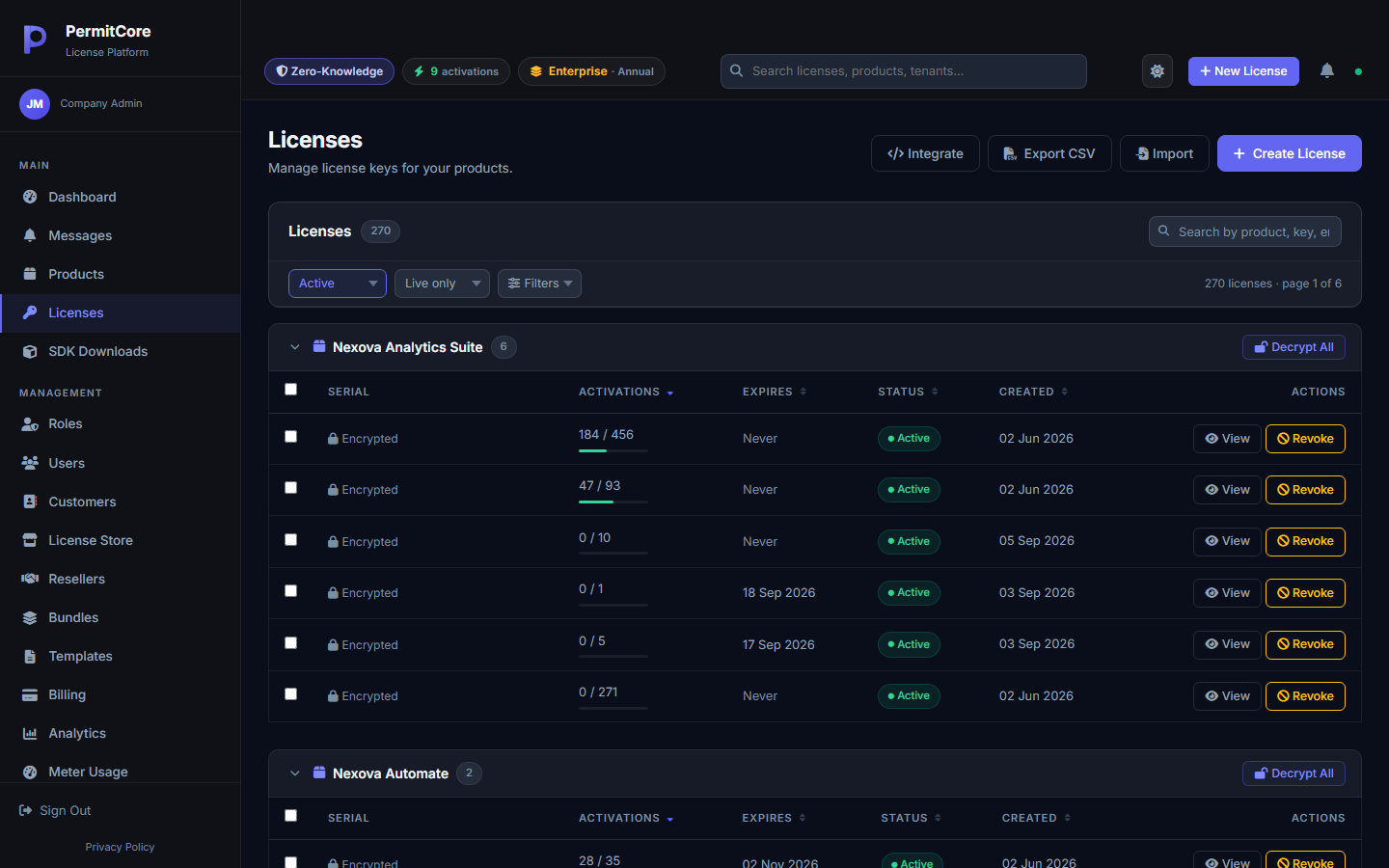
Offline behavior is configured per license — Offline Grace Days controls how long a cached "valid" result is trusted between real activations.
The Token Format
An offline token is a plain string with three dot-separated parts:
pc_offline_v1.<base64url(payload_json)>.<base64url(signature)>
The prefix identifies the format so the SDK can reject anything malformed immediately. The payload is a small JSON object — license ID, device ID, expiry, a key ID (kid) identifying which signing key produced it — and the signature is an ECDSA P-256 (SHA-256) signature over the raw bytes of the base64url-encoded payload, produced with a private signing key held by the issuer. Customer applications use only the trusted public verification key. Signing-key export on all plans supports a vendor's independent continuity plan; exported private material must remain protected.
The Real Verification Code
This is the actual method from PermitCore's .NET SDK — not a simplified version. It's a static method with zero dependencies, so it's easy to audit or even copy into your own project if you'd rather not take the SDK as a dependency:
public static OfflineTokenResult VerifyOfflineToken(string token, string publicKeyBase64)
{
    var parts = token?.Split('.') ?? [];
    if (parts.Length != 3 || parts[0] != "pc_offline_v1")
        return new OfflineTokenResult { IsValid = false, Message = "Malformed token." };

    try
    {
        var payloadBytes = Encoding.UTF8.GetBytes(parts[1]);
        var sig          = FromBase64Url(parts[2]);

        using var ecdsa = ECDsa.Create();
        ecdsa.ImportSubjectPublicKeyInfo(Convert.FromBase64String(publicKeyBase64), out _);
        if (!ecdsa.VerifyData(payloadBytes, sig, HashAlgorithmName.SHA256))
            return new OfflineTokenResult { IsValid = false, Message = "Invalid signature." };

        var json    = Encoding.UTF8.GetString(FromBase64Url(parts[1]));
        var payload = JsonSerializer.Deserialize<OfflineTokenPayload>(json);

        if (payload.ExpiresAt < DateTime.UtcNow)
            return new OfflineTokenResult { IsValid = false, Message = "Token expired.", Payload = payload };

        return new OfflineTokenResult { IsValid = true, Message = "Valid.", Payload = payload };
    }
    catch { return new OfflineTokenResult { IsValid = false, Message = "Invalid or corrupt token." }; }
}
Notice the signature is checked before the payload's expiry date is even trusted — you never want to make a security decision based on data you haven't verified yet. This exact method is documented, byte-for-byte, to match what PermitCore's own server does when it signs a token, so there's no drift between what gets issued and what gets accepted.
Keep token expiry and trusted public-key distribution in your ownership and shutdown plan. A signed token remains subject to its deadline after the issuer closes.
The Full Offline Flow
Verifying a token is the primitive — most apps use two higher-level calls built on top of it:
// SDK 2 source: trustedTenantPublicKey comes from your application configuration.
using var client = new PermitCoreClient(new PermitCoreOptions {
    BaseUrl = apiUrl, TrustedPublicKeys = new[] { trustedTenantPublicKey },
    CacheDirectory = appCacheDirectory, DeviceId = deviceId
});
// First run: verify and retain the signed token.
var result = client.ActivateOffline(token, deviceId, productId);

// Every later launch — no network call at all
var cached = client.ValidateOffline(deviceId, productId);
if (!cached.IsValid) { /* show activation screen */ }ActivateOffline also checks the token's DeviceId matches the machine calling it — a valid, correctly-signed token issued for one device is rejected if you copy it onto another. ValidateOffline never touches the network at all; it reads the original signed token and re-verifies its signature against configured trust keys, expiry, device and optional expected product.
What This Actually Protects Against — and What It Doesn't
A signature makes the token's contents tamper-proof: nobody can edit the cached JSON on disk to push out the expiry date or swap the device ID, because doing so breaks the signature. That's a real, meaningful guarantee.
What it can't stop is a hostile local clock. The whole expiry check depends on DateTime.UtcNow — and on a machine the license holder fully controls, nothing stops them from setting the system clock backward before it runs. This is an open, honestly-documented gap in offline verification generally, not just in PermitCore's implementation — see Offline Grace Mode for the fuller discussion of grace periods and their real limits.
In practice, offline validation is meant to survive a legitimately disconnected machine, not a hostile one actively trying to defeat it — the same tradeoff every offline-capable licensing system makes.
Build your first licensed product without building a license server.
Create a free PermitCore account, issue a test license, and validate it from your application.