Introducing PermitCore Store 2.0
A new responsive storefront and Shop Designer for software vendors: editorial merchandising, configurable sections, product galleries, discounts, trials, and secure Stripe-to-license delivery.
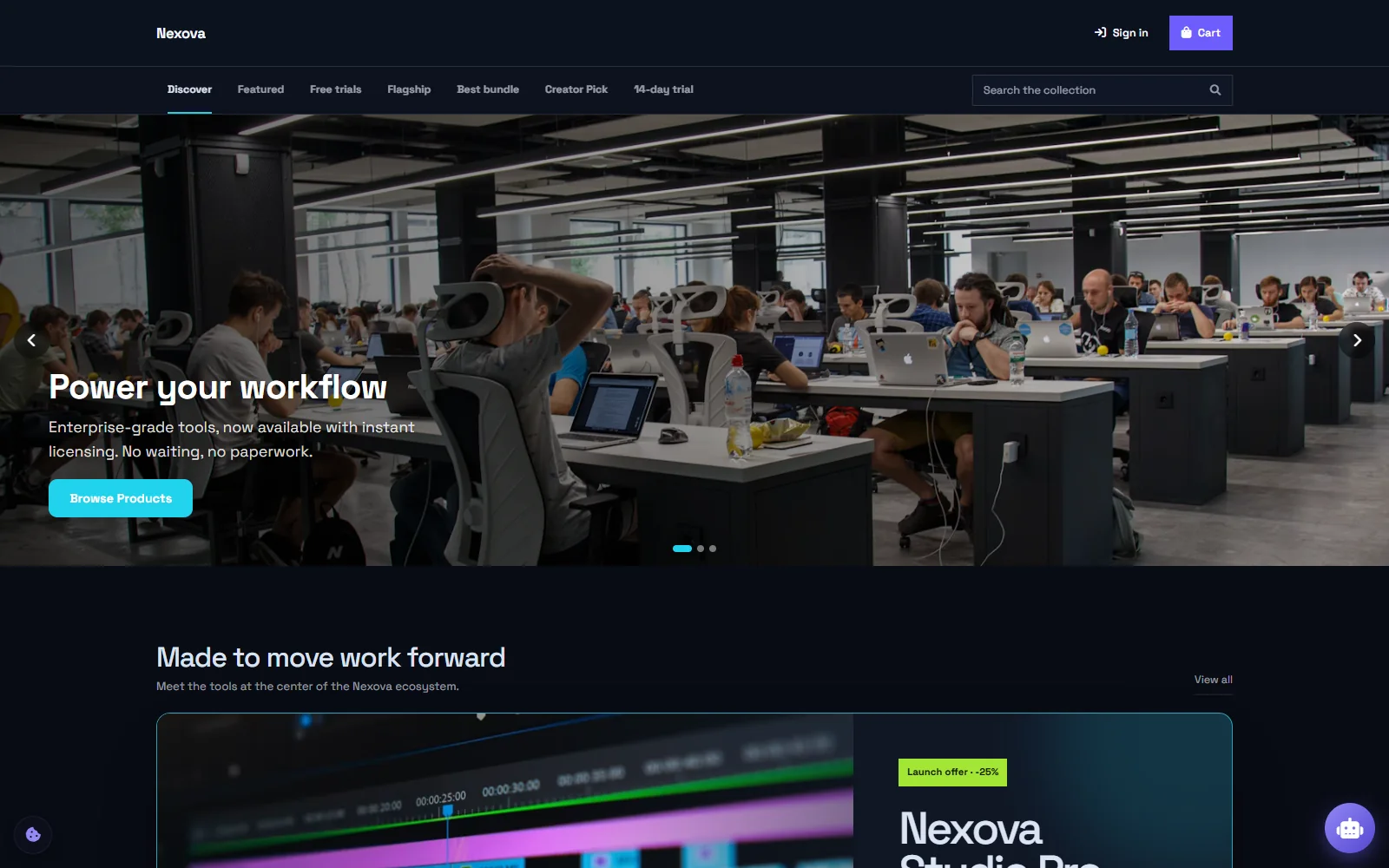
A software store should feel like the product company behind it—not like a payment form with a logo attached. Today we are launching PermitCore Store 2.0, a complete redesign of the storefront and the tools vendors use to build it.
The goal was not to copy a general marketplace. It was to bring the things great marketplaces do well—strong visual hierarchy, deliberate product discovery, clear offers, and fast browsing—into a store made specifically for software licenses.
A storefront you can actually art-direct
Store 2.0 replaces the fixed product grid with a composable homepage. Vendors can combine hero slides, a featured spotlight, horizontal product shelves, category tiles, discovery tabs, and a searchable catalog. Each section can be published independently, moved up or down, filtered to a product set, and given its own spacing above and below.
Branding goes beyond a single accent color. Shop Designer controls the logo, palette, typography, page background color or image, card density, hero height, corner treatment, and product columns. Category tiles can share a default visual style or receive their own background color and image—so “Free trials” can communicate something different from “Flagship” or “Special offers.”
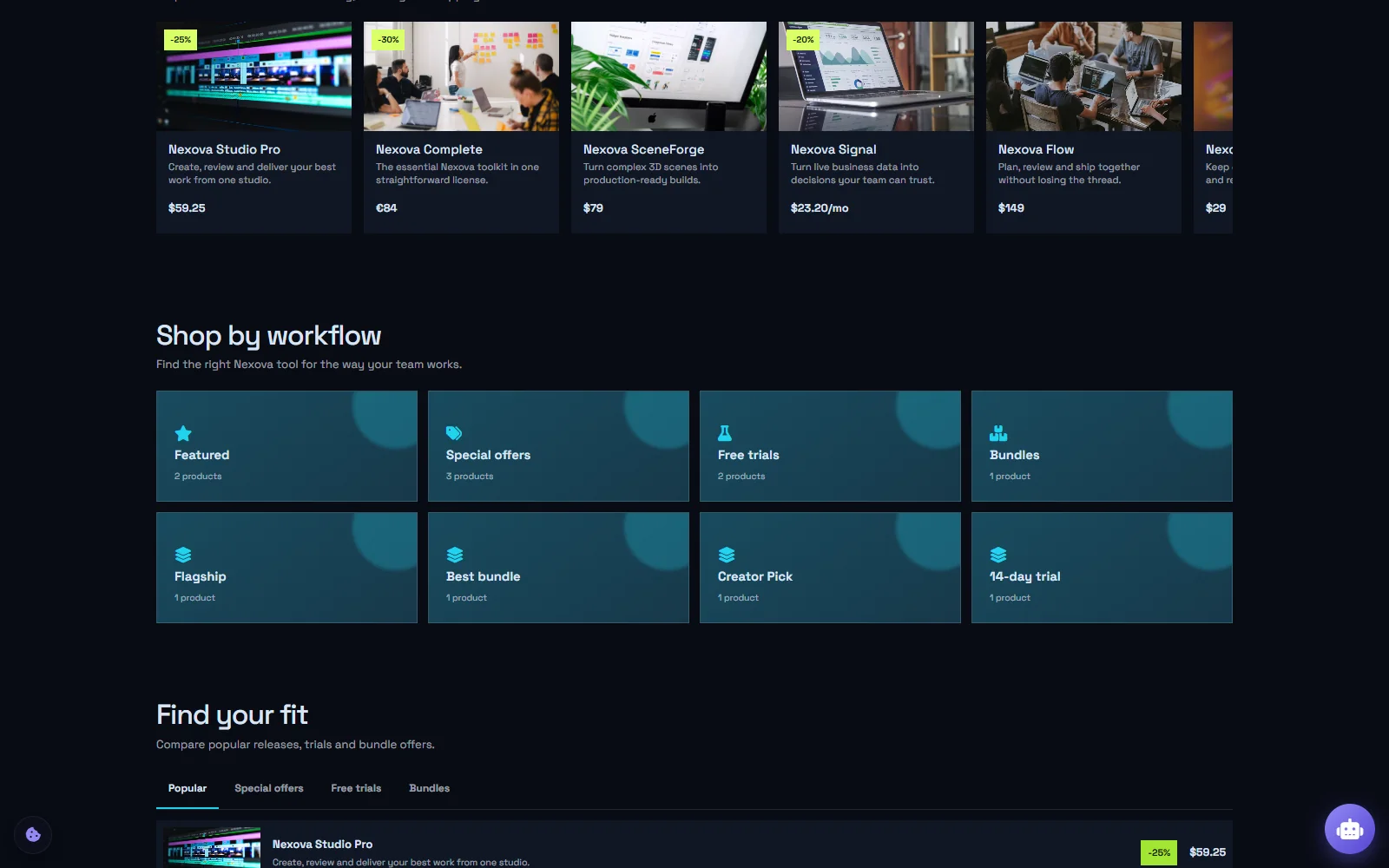
The Nexova demo uses shelves, individually styled category tiles, and discovery tabs to make a larger catalog easy to scan.
Product pages now do the selling
A product can carry a proper image gallery, long-form description, feature list, custom badge and CTA, one-time or recurring price choices, a free trial, bundle contents, and a scheduled offer. The layout stays responsive from wide desktop screens down to touch-sized mobile navigation and horizontally scrollable collections.
Discounts were designed as a real pricing system rather than decorative labels. A vendor schedules the campaign, percentage, name, color, and visibility of the prior 30-day comparison price. The storefront presents the regular price, effective price, percentage, and campaign clearly. Checkout then recalculates the active campaign on the server, so changing browser state cannot change what Stripe charges.
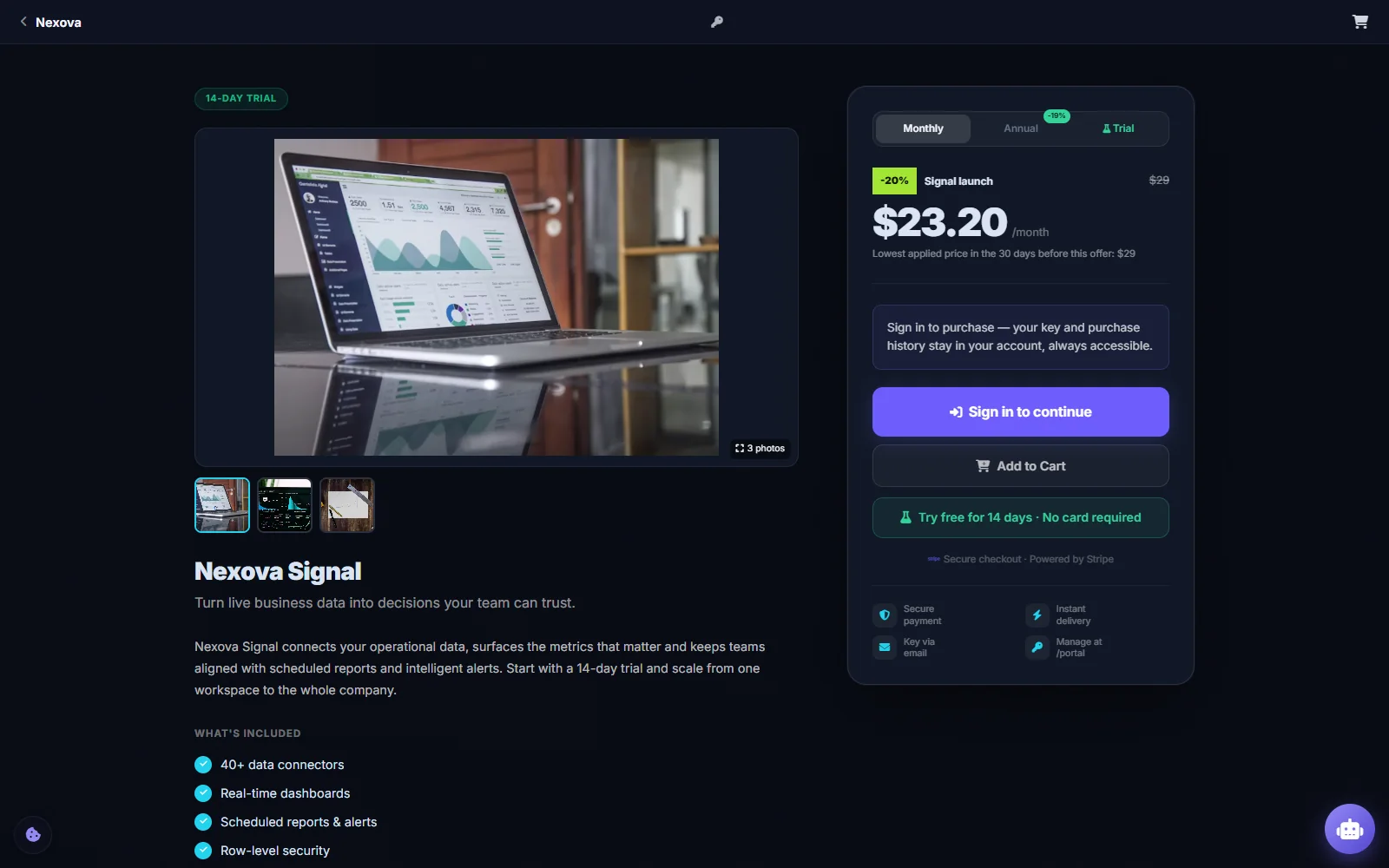
Product detail pages combine explanation, gallery, pricing, discount disclosure, trial, cart, and account-aware checkout.
Still your Stripe account. Still 0% commission.
The commercial model has not changed: vendors connect their own Stripe account, revenue goes directly to them, and PermitCore takes 0% sales commission. Successful payment flows through a verified tenant-specific webhook into order creation and automatic license fulfillment. Buyers can return to their account for licenses, invoices, purchases, and subscriptions.
Stripe handles card data. PermitCore treats every price shown in the browser as display-only, reloads products and campaigns at checkout, and only issues a paid license after webhook signature verification. Order fulfillment is idempotent so a Stripe retry does not create a second license.
Built for launches, not only screenshots
The Store uses shared Valkey caching for public catalog traffic and distributed rate limits that continue to work across API replicas. Store records are tenant-isolated with application filters and PostgreSQL Row-Level Security. Vendor payment credentials and license material are encrypted at rest, while safe customization rules validate colors, images, links, and optional Enterprise CSS.
That foundation matters because a good launch can create the exact traffic spike a vendor hoped for. Store 2.0 is meant to remain responsive when the campaign succeeds.
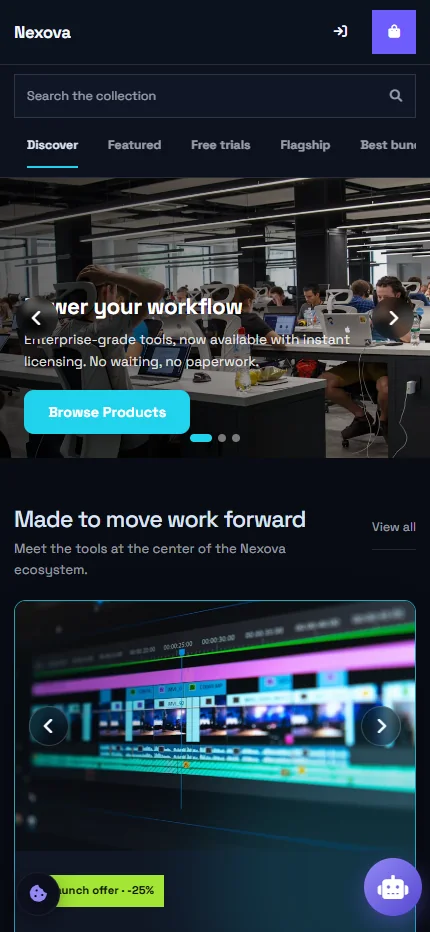
The same store adapts to mobile search, navigation, hero controls, product rails, and checkout.
See it, then build yours
Open the live Nexova demo store to explore Store 2.0 as a buyer. When you are ready to configure a store, the complete Store tutorial covers Stripe setup, products, design, category tile artwork, homepage composition, discounts, taxes, test purchases, security, and the launch checklist.
Build your first licensed product without building a license server.
Create a free PermitCore account, issue a test license, and validate it from your application.