Floating Licenses
Floating / Concurrent Licenses
Floating licenses (also called concurrent licenses) let multiple users share a pool of seats. Instead of permanently consuming an activation slot, a user checks out a seat when the app starts and returns it when they close it.
Example: a company has 50 employees but only 10 ever use the software at the same time. You sell them a license with 10 concurrent seats — far cheaper than 50 individual activations.
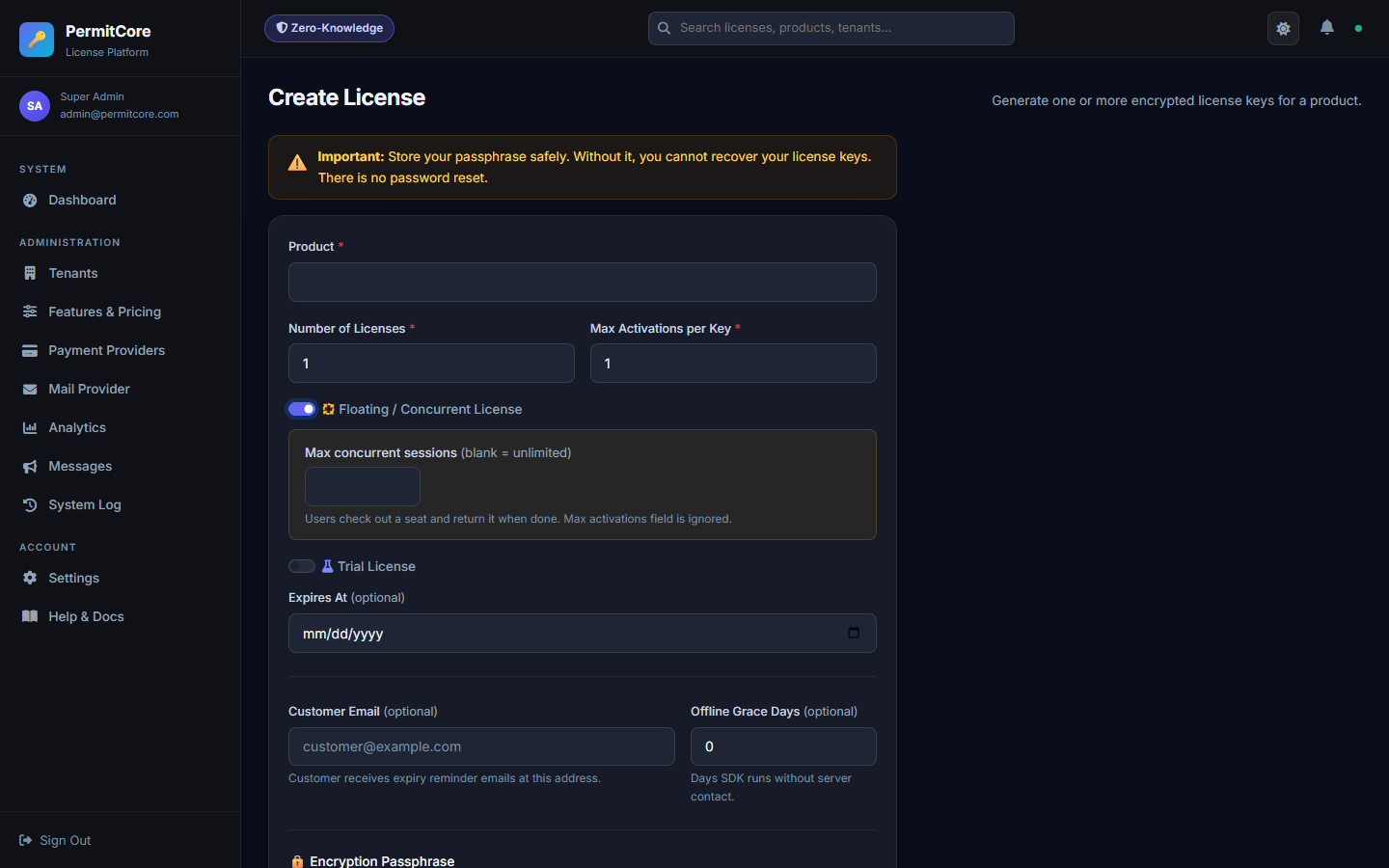
Creating a floating license — toggle the Floating mode and set the maximum concurrent sessions.
How floating sessions work
| Action | SDK call | What happens |
|---|---|---|
| App starts | POST /api/v1/float/checkout | A session is created. If max concurrent seats are in use, returns an error — app should show "all seats in use". |
| Every 4–5 min | POST /api/v1/float/heartbeat (body: {"sessionToken":"..."}) | Extends the session expiry by 15 minutes. Without heartbeat, session expires automatically. |
| App closes | POST /api/v1/float/checkin (body: {"sessionToken":"..."}) | Releases the seat immediately. Other users can check it out instantly. |
Creating a floating license
- Go to Licenses → Create
- Toggle "Floating / Concurrent License"
- Set Max Concurrent Sessions (blank = unlimited)
- Generate and distribute the key as usual
SDK example (checkout + heartbeat)
var session = await client.CheckoutAsync("PERMIT-XXXX-XXXX-XXXX-XXXX");
if (!session.Success)
{
    ShowMessage($"All seats in use: {session.Message}");
    return;
}

// Keep alive every 4 minutes
using var hb = new Timer(async _ =>
    await client.HeartbeatAsync(session.SessionToken!),
    null, TimeSpan.FromMinutes(4), TimeSpan.FromMinutes(4));

// Release on exit
AppDomain.CurrentDomain.ProcessExit += async (_, _) =>
    await client.CheckinAsync(session.SessionToken!);
session = client.checkout("PERMIT-XXXX-XXXX-XXXX-XXXX")
if not session.success:
    print(f"All seats in use: {session.message}")
    raise SystemExit(1)

# Heartbeat in background thread (see full Python SDK docs)
# Release on exit:
import atexit
atexit.register(client.checkin, session.session_token)
Viewing active sessions
You can see all active sessions for a license via the API:
POST /api/v1/float/sessions (body: {"licenseKey":"..."}, requires an authenticated JWT — a license key is a sensitive credential).
Sessions that have missed their heartbeat window are automatically cleaned up on the next query.